Years of collecting deserve a careful custodian
Software that manages your files can also lose them. Cartmark is built around the opposite promise: it plans before it acts, it keeps what it replaces, it proves its backups, it scans what it downloads, and it tells no one anything.
Four rules it never breaks
- Destructive work is planned, then applied. You see exactly what would change before anything does. The dry run is not optional and is never skipped for speed.
- What is replaced is kept. A redundant copy goes to a recycle bin beside it and can be put back. No sync job ever removes a file from your server.
- Nothing leaves your network unless it's on the list. Every outside service is on an allow-list you can read. There is no telemetry of any kind.
- A verdict carries its evidence. The machine, the build and a picture, so any result can be re-judged rather than taken on trust.
Every version upgrades from any earlier one. Nothing lost, nothing to do by hand.
Start the new version and that's it. Your settings keep working under their old names, your enrolled machines keep working until they update themselves, and your data is only ever added to or carried forward.
Before an upgrade changes anything, Cartmark copies its databases and settings and proves the copy: an integrity check, the same rows in every table, and a fingerprint of every file read back from disk. If the backup can't be proven, or there's no room for it, Cartmark doesn't start, and your data is left exactly as the earlier version had it.
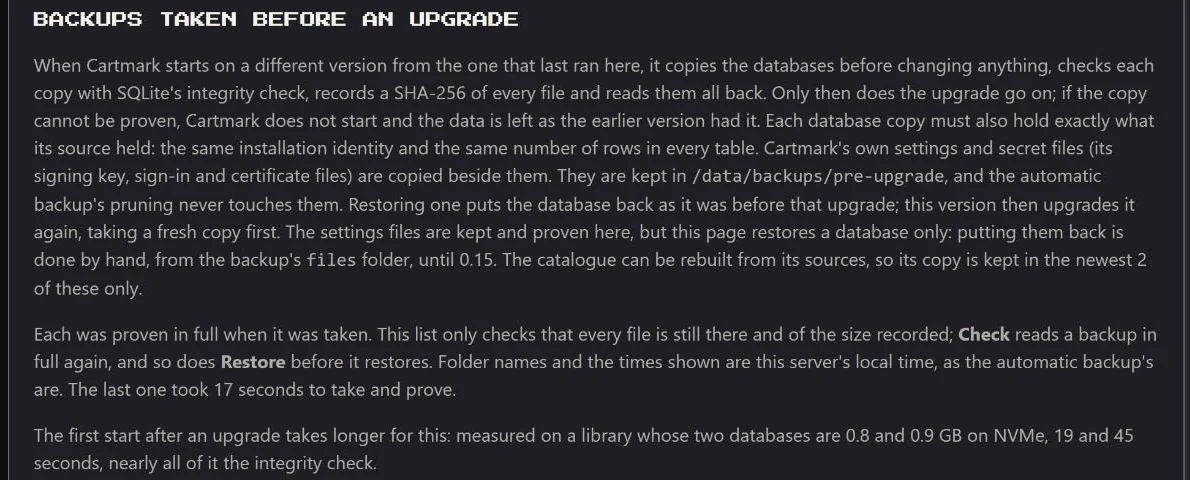
Nightly backups are proven the same way. A copy cut short by a full disk is removed and reported instead of being quietly counted as good.
Your saves come first
A tidy-up that removes "the worse copy" is only safe if it knows which copy you've been playing. Cartmark does.
- A copy that has been played is held. It isn't offered for pruning, isn't replaced by a download, and isn't moved to another shelf, because a save is tied to the name and place its game had.
- Pin. One button on any copy. A pinned copy is never pruned, replaced, set aside or deleted until you unpin it, whatever any policy says.
- Keep every copy on a system, with one tick, for the shelves you never want thinned.
- Deleting by hand asks twice, for two different losses: "even if it is the last copy" and "even if it has been played" are separate ticks.
- Every version of every save is kept for good, and any of them can be brought back, with the current one shown beside it before you say yes. Saves.
None of this refuses silently. Each time a protection holds something back, it is logged and listed under Needs attention with what wasn't done and why.
What each release says about itself
Every release says what it does not do and what is known and left, in the changelog, in plain words. Each security fix is written into a public security log with what was wrong and what closed it.
The order of work follows the same thinking: what could lose data or leak a credential is built first, features last. See the plan.
Windows downloads are virus-scanned before anything can run them
Every Windows game and installer that arrives is scanned by ClamAV before it is listed for a box, installed on a PC, copied to one or downloaded. A file not yet scanned says "Being virus-scanned, ready shortly." and its scan moves to the front of the queue; a file that changes after its scan is held again until it is scanned again. Definitions are updated every 12 hours, and a large game folder is scanned in parts within a fixed amount of memory.
- A copy judged a threat is set aside out of reach: moved at once into a quarantine folder beside the library, under a random name, readable only by Cartmark, never run and never downloadable, and deleted for good after 7 days. Cartmark looks for the least risky other copy of the same release and does not fetch from that source again by itself. Its original download is removed from the download client, found by its own download and only under Cartmark's category.
- A file the scan could not read whole is held as "only partly scanned", whatever it found in the part it did read. A person who may install can accept such a game for one install, on one PC, of exactly those files, after a plain note of what could not be checked; a real finding stays held whatever is ticked, and the box never takes it.
- A swapped file is noticed. A file swapped for another of the same size with its old date copied over is caught, because Cartmark also compares the time the file's details last changed, which cannot be faked without full access.
- Scanning is on from the start. Only the super admin can switch it off, with the admin password and a recorded acknowledgment that is never removed, and while it is off no Windows game or installer reaches anyone. Every admin sees a banner while it is off, and any admin can turn it back on with no password; what arrived meanwhile is scanned at once.
- Archives are looked inside one way, which refuses one whose listing cannot be read, that names a file outside its folder, that writes through a link of its own, or that would unpack past its console's size. An Android app inside a console's download counts as a program, so that download is discarded and its game searched for again.
A scan with no finding is not a guarantee that a file is harmless, and About says so.
Your accounts are not Cartmark's to lose
What it does
- Uses each store's own sign-in. Tokens the store hands out and can revoke, never a stored store password.
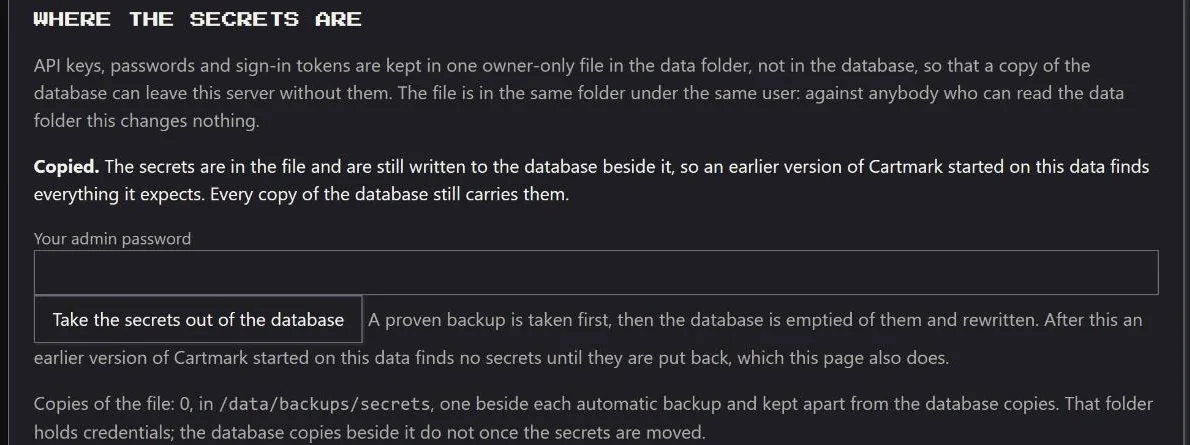
- Keeps keys apart from data. Keys and tokens live in one owner-only file, so a copy of the database can leave the server without them.
- Ties a key to its server. Change a connection's address and the key is not sent there until you enter it again.
- Asks again for the big things. An admin confirms with their sign-in password before changing who can do what, restoring a backup or moving secrets; only the super admin keeps a second password. The acts that could do most harm are kept to one super admin.
- Keeps a secret out of an error. Error messages carry no token, key or password.
What it never does
- Write a key or code to a log. Redeem codes are shown only when you ask, and deleted once used.
- Spend, claim or reveal on its own. That is your click, or an opt-in you switched on.
- Call a machine. Machines reach out to Cartmark; the server never connects to them.
- Take a proxy or a certificate from its container's environment for the programs it runs to fetch.
Every machine proves who it is
- The link is encrypted, under a certificate of Cartmark's own that each machine checks by its key.
- Each machine holds a device key, sealed on the machine and kept apart from its token. A stolen token alone is refused, and tokens are renewed.
- Updates are signed. A machine installs a new worker only when it carries the server's signature, and the tray is a signed script the worker checks the same way.
- Enrolling takes a one-time code that expires, and is accepted only from your own network or your private tailnet. Machines never enrol at the public address.
- A PC is never rebooted by Cartmark. Tests start only on a machine nobody is using, and a test reaches nothing on the internet.
- BIOS Approved, said in full. The house's own machines need no approval. The house's firmware and keys go to another household's machine only once the super admin has BIOS Approved it, and its page says exactly what that allows, who approved it and when. A machine that moves to another household loses its approval. Firmware by household.
- A changed machine is held. A new graphics card or processor stops a machine's tests until a person confirms the change.
- Security improvements in most releases, to the machines and the server, each written into the public security log.
Machines hardened, unless the owner keeps their own
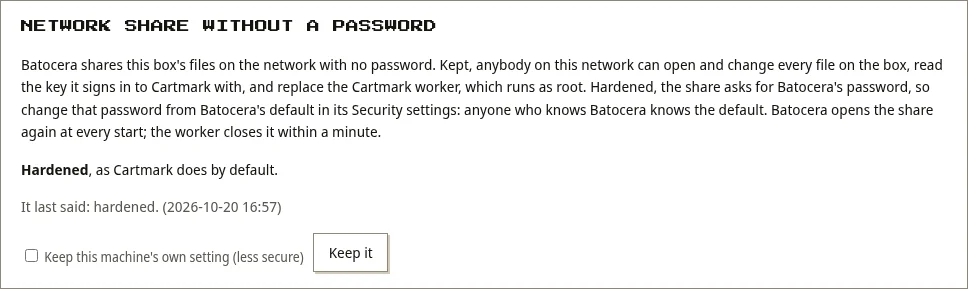
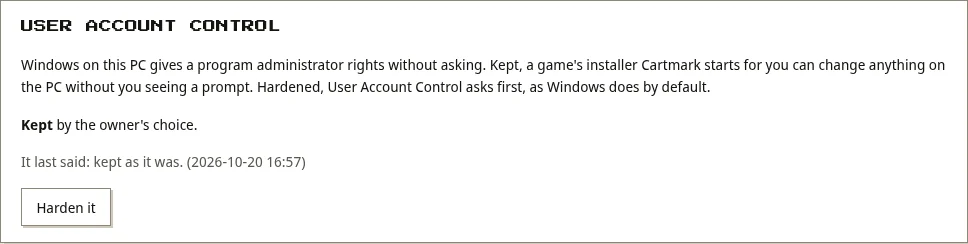
Cartmark closes a weak security setting of the machines it runs on, unless the machine's owner chooses to keep it, and each machine's page says what the setting exposes, which way it is, and what the machine last reported.
- A Batocera box's network share is opened by Batocera to anybody on the network, with no password, at every boot. The box's worker closes it at every start and every ten minutes.
- A Windows PC's User Account Control is set back to asking before a program gets administrator rights.
- A box starts only a worker that verifies under the release key it pinned when it enrolled; a changed worker is replaced by the last one that did.
- The machines' listeners hold their ports on Windows, so no other program can take their connections.
A machine at a friend's house, without opening a port
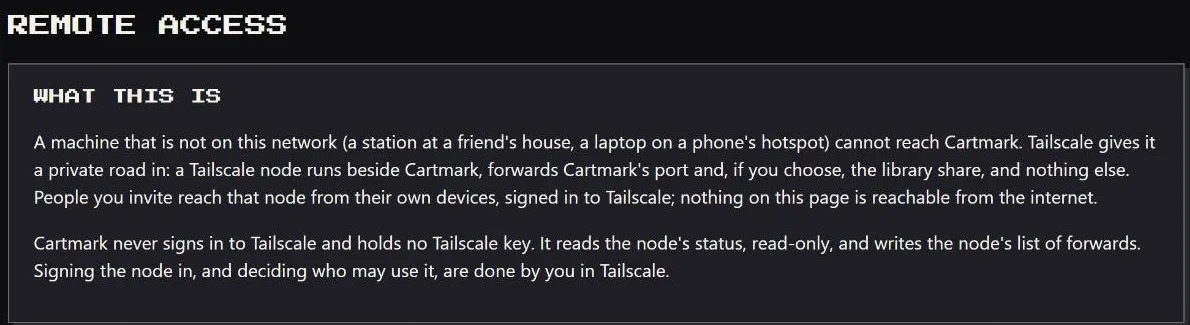
A PC that isn't on your network can still join, over a private Tailscale link. A small Tailscale node runs beside Cartmark and forwards Cartmark's port and, if you choose, the library share. Nothing else. Nothing is reachable from the open internet, and each person has their own page for reaching Cartmark over Tailscale.
The page then checks the setup for you and says, line by line, what makes it safe to hand out:
- The node is signed in, and its key won't expire and drop the link.
- Cartmark's own sign-in is on, and the link is not trusted on its bare word.
- The node forwards Cartmark's port, and forwards nothing else.
- Anything Cartmark cannot see for itself is marked "by hand", with what to check.
Cartmark never signs in to Tailscale and holds no Tailscale key. Who may use the link is decided by you, in Tailscale. The whole of it, machines, handhelds, households and guests: Away from home.
A house, not a single user
- Households. Every person and machine belongs to one household, run day to day by its own household admin. Households.
- Levels, from the narrowest. A user browses the library, deals and free games, asks for games within a request quota, and downloads within an allowance. An admin runs everything. A household admin looks after the members of their own household, and one super admin, the server owner, holds the acts that could do harm in the wrong hands: turning on the use of firmware and keys, BIOS Approval, making admins and restoring a backup. Any admin can still do the safe opposite, so anything can be stopped at once.
- Sign in your way: a password, Google, Apple or any OpenID Connect provider, or a sign-in gate you already run. A Cartmark password confirms an act however you signed in, or you confirm by signing in at your provider again.
- Your own store accounts. Each person connects and manages their own, and a shared DRM-free copy is told apart from a personal licence.
- Leave cleanly. Closing an account removes that person's sessions, alerts and keys.
Codes go only to a channel that is yours
Each person may make a security topic on ntfy: a long random name of their own, used only for codes, with a QR code and a subscribe link. A channel is proved yours by typing back one code, and codes go only to a proved channel of yours, never the house's Discord or a topic the household shares. Cartmark can run its own ntfy server for this, set up and checked by Cartmark itself, reached over your tailnet and never opened to the internet; each person then follows five steps on their phone, and their codes come there from then on.
- Locked out by wrong passwords? Ten wrong passwords in 15 minutes lock that person, and the addresses the tries came from are refused for 24 hours, never the house's own network. The sign-in page's "Locked out?" link sends up to three unlock codes to your proved channel, one try each, and an unlock lifts its address blocks. A household admin or the super admin can unlock too.
- A sign-in from somewhere unusual waits for a code. A sign-in from outside a person's home countries, or from a place nobody could have reached since their last one, waits after its right password for a code sent to their own channel; without one, their household admin or the super admin lets it in or refuses it. The house's network and the tailnet are never held, and "I use a VPN" turns the place checks off for that person.
- Every sign-in is listed. My account › Signed-in devices lists each sign-in by browser, place and time; each can be signed out alone, or every other one at once behind your password.
- Admins can lock a person by hand and sign them out everywhere, with the admin password and a reason. Settings › Sign-in attempts shows each address wrong passwords came from, with a rough place and its network, and an address or a narrow range can be blocked for good, never one the household signs in from.
- The super admin is locked only from outside: at home on the LAN they can always sign in, and that lock ends only at the server, with a code sent to their own channel.