Free games, and claiming them
What's being given away on every store and through Prime Gaming, and the fewest presses it takes to keep each one. The last click is always yours.
Finding what's free
Once a day Cartmark looks for games being given away to keep:
- Epic's weekly free games, from Epic's public feed.
- Anything at 100% off on any store IsThereAnyDeal follows: Steam, GOG, Microsoft, Humble, Fanatical and the rest. DLC counts, because it stays on the account for good.
- Prime Gaming, from Amazon's monthly announcement of the games Prime members can claim through Luna. Each one says where it ends up: an Epic account, a GOG code, a Microsoft code, a Legacy Games code or Amazon's own app.
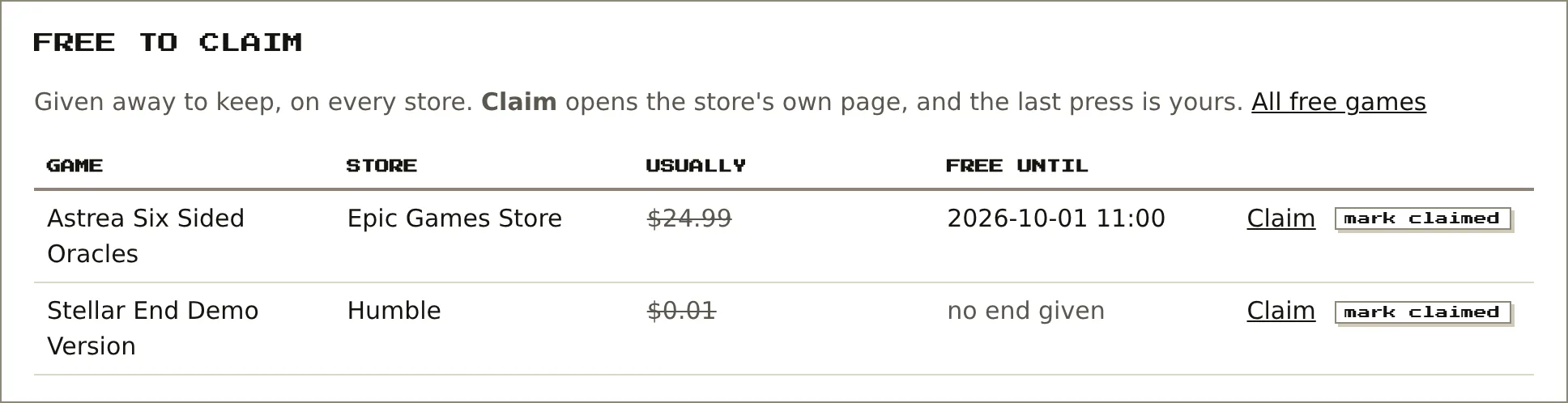
They appear on the Free to claim page, on each store's page and at the top of the home page, with the usual price and the end date when the store gives one. Many don't: Humble's "limited time" timer on a demo counted down 355,473 days, so "no end given" is the honest answer.
Steam claims on its own
Scan a QR code once with the Steam app. Cartmark keeps Steam's revocable sign-in token, never a password. With automatic claiming ticked, each daily run checks the item is still $0 at that moment, adds it to the account without downloading it, claims at most five, logs every attempt, and asks you to sign in again if Steam ever refuses.
Claiming, store by store
GOG
Claim opens GOG in a small window, adds the game to your cart and moves on to checkout, where you press Get for free.
Epic
Opens Epic's sign-in, which passes straight through to the free checkout if you're already signed in; press Add to library. (Epic's checkout on its own just errors on a phone that isn't signed in, so it always goes through sign-in first.) On a phone the page may go black afterwards; the claim has still gone through.
Steam
Opens the game's page for Add to Account, or claims it automatically if you've switched that on.
Prime Gaming
Opens Luna's claims page. What happens next depends on the game:
- Linked account (most Epic ones): Luna adds it to Epic directly. Nothing else to do.
- A code (GOG, Microsoft, Legacy Games): paste the code into the row's box and press keep. Show and redeem then opens the right store. GOG's redeem page opens with the code already filled in, so it's one press. Microsoft's opens its redeem page with a copy button. Legacy Games has a page for each game, where the code goes in with your email address, and the game is then played through the Legacy Games launcher.
After any claim, press mark claimed. Cartmark then reads that store's library straight away (for a Prime game, the store it landed on), so the game shows as owned within a minute instead of the next day. A kept code is deleted at that point; codes are only ever shown when you ask, and never written to any log.
A store Cartmark can connect but isn't connected shows "not connected". Stores it can't connect to at all, like Prime Gaming or Fanatical, don't, since there's nothing to set up.
Humble Bundle
Once connected, Cartmark reads the whole Humble order history, one order at a time and paced so as not to hammer Humble:
- DRM-free games in those orders count as owned, the same as GOG.
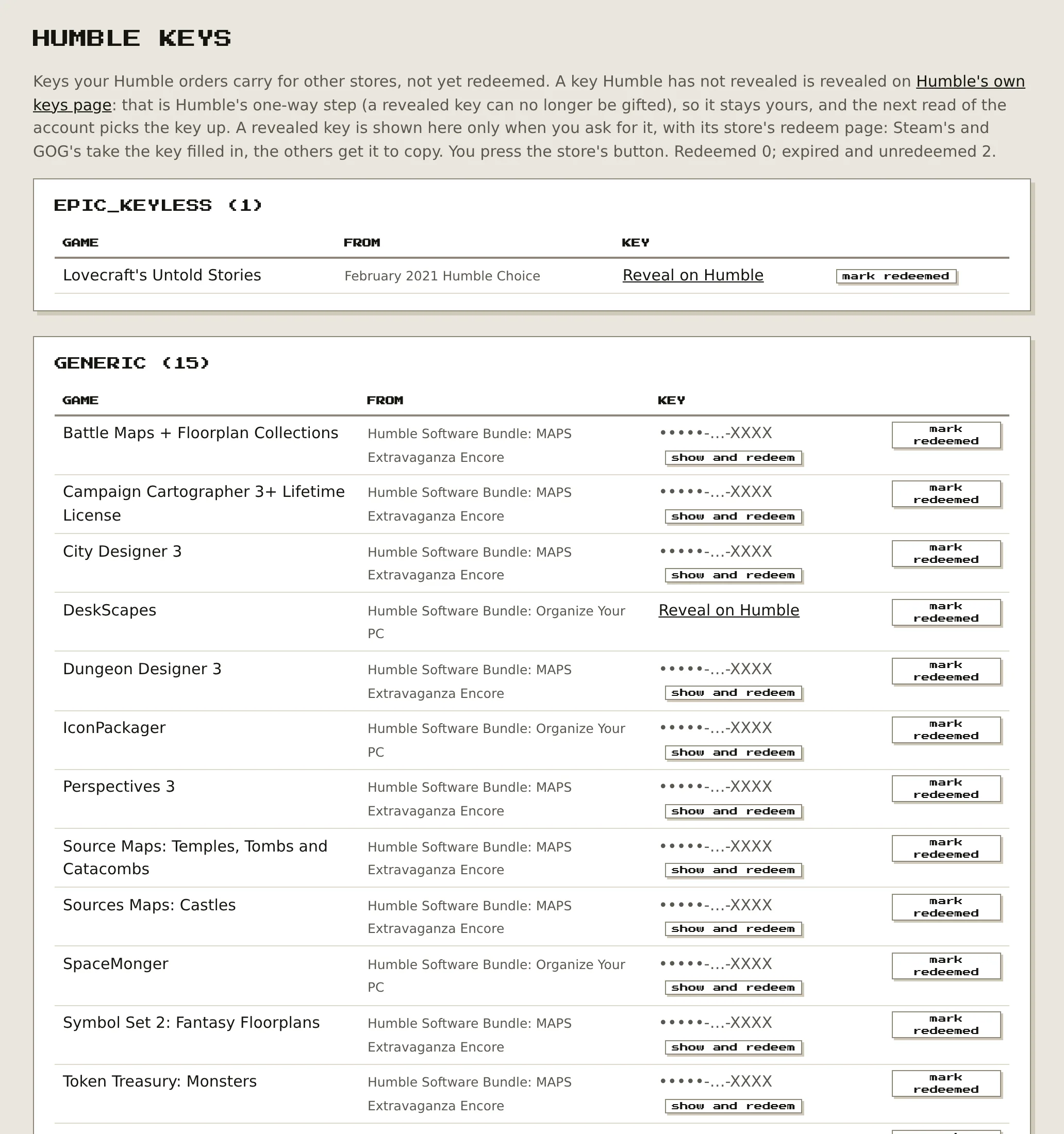
- Every key from bundles and Humble Choice (Steam, GOG, Epic, EA, Ubisoft…) goes on a Humble keys page, grouped by store.
Keys are masked by default, like •••••-…-ABCD. Show and redeem fetches just that one key and builds that store's redeem link. Steam's and GOG's redeem pages open with the key already filled in; for the others you get a copy button and the store's redeem page. Mark redeemed takes a key off the list.
Keys Humble hasn't revealed yet show Reveal on Humble instead, a link to Humble's own keys page. Revealing is one-way on Humble (a revealed key can't be gifted any more), so that stays your decision. Keys never go into logs or anywhere else.
On one real account: 12 DRM-free games counted as owned, plus 51 keys waiting. That's 35 for Steam, one Epic game and 15 generic software keys, mostly from software bundles.