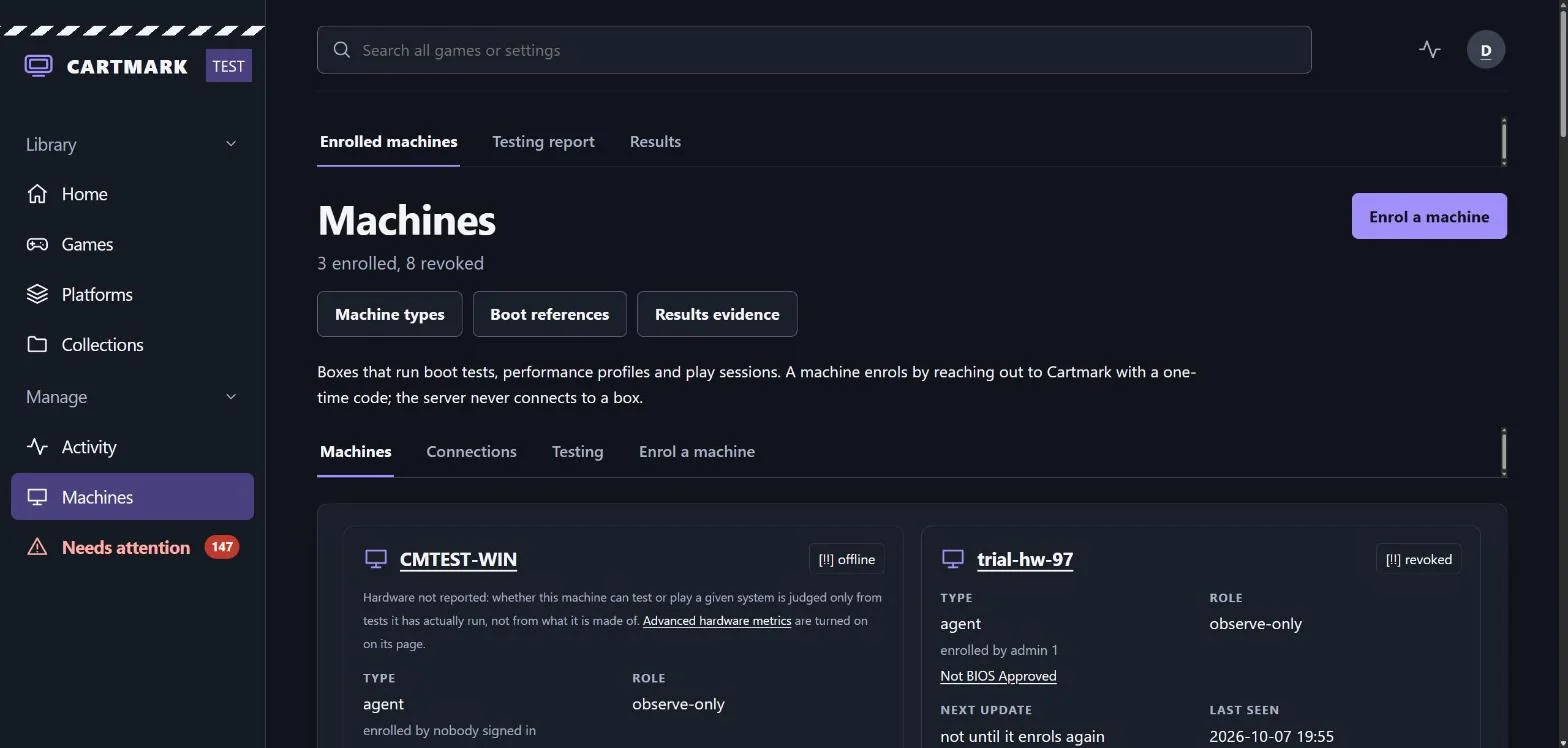
Machines
How they join, who is playing on them, what they are made of, how good their connection is, and how each game gets tested on the machine it will be played on. Each one runs a small agent that checks in with Cartmark; the server never calls a machine.
The machines
- The TV box runs Batocera. Its library comes over the network from the server.
- Windows stations run the emulators Batocera can't, and PC games. A PC is Shares only or a Full station, switched from its page.
- Android handhelds, the AYN Thor and its like, borrow and play games from the library, keep their saves where RetroArch keeps them, and update themselves.
Each machine runs a small agent that checks in with Cartmark, picks up work, and updates itself when Cartmark ships a new version. Enrolling one takes a one-time code from the Machines page, or a person's own code from Add a device. A code can name the person the machine is for, and every machine belongs to a household. The Windows set-up can run with nobody at the PC: it finishes on its own, or stops before enrolling when an answer it needs is missing.
One job at a time. A machine does one thing at once: a boot test, a check of its connection, a copy. The next job waits its turn, and the machine's page says what it is waiting for. A PC that is asleep is woken for the work sent to it, where its owner has switched that on.
A game left running is noticed. After four hours with nothing pressed, the TV box closes the game; a Windows PC first asks whether anyone is still playing and waits ten minutes for an answer. A machine in use is never handed a test, and a game left open behind another window still counts as in use.
What you are playing is yours alone. A machine names the running game to its own person, on their own page, and to nobody else. How a game ran, minute by minute, is kept without the name of the person or the machine.
Cartmark in the Windows taskbar
The tray is a Cartmark icon by the clock on a Windows PC. It shows whether the PC is healthy, who is playing here and across the house, what is lent and copying, and your recent games, with buttons to pause testing, sync saves, return a game or report a problem. Its Emulators menu starts RetroArch with each of its cores, PCSX2, Dolphin and the others set up on the PC, bringing in your saves first. Its links open Cartmark already signed in, for reading, as the PC's player; any change sends you to the ordinary sign-in.
The tray is a signed script the worker checks as it checks its own updates, and it never holds the PC's key: it reads what the worker writes and leaves requests for the worker to carry. Every menu item, the cards and the signed-in links, item by item: The tray.
Notifications like Steam's. Dark cards with the Cartmark logo pop up for saves kept on the server, games arriving, tests finished, players switched and more. Up to three show at once with the rest queued, a click opens its page, they never take the focus from what you are doing, and each kind can be switched off. During quiet hours they make no sound.
Who a machine is for
A machine that belongs to one person shows on its owner's My machines, with its statistics and connection tests, and My machines also lists every machine of the person's household. A shared machine has no single player: each game played on it is credited to the member who played it. Who played.
Who's playing
Each machine has a player who gets its saves and play time, and the saves follow them. Signing in to Windows makes you the player: the PC remembers whose Windows account is whose, and Cartmark's server never sees it. Switching to someone else needs their player PIN, set on My account, and is always done from the tray. Guests from other households scan the code on the screen to play as themselves.
- A player PIN is 4 to 8 digits, with no repeats or straight runs, kept hashed. Wrong PINs are counted on their own, five in a quarter of an hour and twenty a day, never against your password. An admin can clear a forgotten PIN.
- The guest code is six characters and changes every two minutes. A guest signed in to their own account plays and saves as themselves, and the household's admins and the PC's owner are told.
- When the player changes, the PC finishes the old player's uploads and sets their saves aside before bringing in the new player's; a switch always finishes, keeping both copies where two would meet.
- Play here, on the home page, lists the shared machines of your household and switches one to you with one press, once nobody has used it for a minute; the machine then says it was switched.
- On the Batocera box, a player change puts the last player's memory cards away and brings theirs back. The box has no on-screen code yet: open the Who's playing screen on another device.
A machine knows itself
Every machine says what it is made of each time it starts: its graphics, processor, memory, disks, network adapters and screen, by model and size only, never a serial number or an address. A change is recorded on the machine's page and in History, and a machine enrolled again after a change stays the same machine.
- A new graphics card or processor is held. The machine is given no tests until an admin, its owner or its household admin confirms the change, and the menu flashes while one waits.
- Both at once asks for approval again. On a machine outside the house, its BIOS Approval waits for the super admin again before it is given firmware or keys.
- The right games for the hardware. A machine with built-in graphics is never sent the systems that need a graphics card (PlayStation 2 and 3, Wii U, Xbox, Xbox 360, Switch, Vita), so those games are not wrongly marked as failing. They wait for a machine with one, and the queue says so.
- Machine types. Each kind of machine (a box, a Windows station, a handheld) has its page, with what it is given and the rules its games and saves follow.
Firmware and keys, placed by the machine itself
Firmware and keys a household member supplies are put in place by each machine of their household: where its own emulators look, only after checking the file arrived whole, never over a file it did not put there, and never on the shared library or a network drive. If a machine's firmware folder is the shared one, the file waits, and the machine's page says why. Every hour the machine checks that what it placed is still there, puts back anything missing, and follows an emulator that has moved to another folder. Each machine also reports the firmware and keys Cartmark placed on it, by name and checksum, and its page lists what it has lost and what brings each file back; no folder is listed and no game or save is named. More.
What happens when a PC is linked
A Windows PC joins in two stages. First it enrols, with one line pasted into PowerShell, and arrives observe-only: it reports in, maps the library shares and plays from them, and runs no tests. Then, if it is to be a Full station, the set-up installs the emulators and the worker that runs boot tests. The set-up is offered at enrolment, started later from the PC's page or row on Machines, or run with nobody at the PC. It runs as the Windows account that will play on that PC, and it says which step it is on as it goes.
Enrol
The line fetches the installer from Cartmark and runs it once. It enrols the PC with the one-time code, pins the server's release key so that every later update must be signed by it, writes the worker, a heartbeat, a sleep notice and a supervisor under the PC's program data, and registers their scheduled tasks. A PC with scripts disabled is allowed to run its own saved scripts for this process only; nothing on the machine is changed. If it is run as the wrong account, or over a station set up as someone else, it stops and says exactly what to do, having installed, changed or scheduled nothing.
Map the library shares
The library's shares are mapped as drive letters, with the read-only reader account Cartmark hands over when the PC reached it on the machines' encrypted link, over Tailscale or from the house's own network, and never as a guest. Windows keeps the account; Cartmark never sees it again. An observe-only PC stops here, in a run that asks nothing and installs nothing. If a share drops later, the worker maps it again within minutes.
Show the plan, and ask once
A Full station is shown its plan before anything is installed: the shares it will read, the emulators to install and from which package manager, how many libretro cores for how many systems, and which emulators are yours to install by hand if you want their systems tested. It asks "Proceed with all of the above?" and does nothing on No. A run with nobody at the PC goes ahead only where that was asked for.
Install the emulators
Each package in the plan is installed unattended from winget or Chocolatey, which skip what is already there; Chocolatey itself comes from winget as a signed package where the plan needs it. Then the set-up finds every emulator wherever it landed, records its version, and writes each standalone emulator's first-run settings in the emulator's own words, so it opens the game and not its own wizard: PCSX2 is pointed at the firmware share, xemu is given the blank disk image it documents, and so on. A setting you already made is kept where it still works.
Fetch the cores
Each libretro core the plan names is fetched from its publisher over https, with no redirect followed, and ones already here are skipped. Every folder is made before anything is downloaded into it.
Report, and install the worker
The PC reports what it has to the server: the emulators found with their versions, the cores, the shares mapped. Then the worker that runs boot tests is installed and its task registered. Testing switches on by itself when the PC reports it is ready, and from then on the worker updates itself within minutes of a new Cartmark build, keeping the version before in case it has to roll back.
What the PC does in its first hour
- The tray appears by the clock once the worker has updated and you sign out and in. The tray.
- A Cartmark folder goes on your Desktop, or in the Start Menu where the Desktop lives in OneDrive, with shortcuts to games and emulators and a copy of the member guide. Games copied or installed go to Games › Cartmark in your user folder, pinned to Quick Access, or to Cartmark Games at the top of another drive.
- Firmware and keys are placed where the emulators look, checked whole, and reported back by name and checksum. Firmware placed by the machine.
- A weak security setting is closed, unless the owner keeps it: User Account Control is set back to Windows' default where it raised an administrator's programs without asking. Hardened, unless the owner keeps their own.
- Calibration first. Before any sweep, the PC runs each system's calibration games, which tell Cartmark how far to trust its results. A PC nobody has switched on for testing runs only those.
- Its page fills in: hardware, connection hints, the emulators and their versions, and the shares it reads.
Later changes, with nobody at the PC
- Shares only or Full station is switched on the PC's page. Switching to Full on a PC not yet set up asks its worker to run the full set-up unattended; where it cannot, the card shows the line to run at the PC.
- Run setup again asks the PC to run its own saved, signature-checked set-up at its next check-in: it maps the shares, moves to the server's Tailscale address where it can reach it, and skips anything that needs an administrator. The card shows how it ended and its last lines.
- Run diagnostics checks the shares, the room on the games drive, the graphics card, the clock, Windows Update, each emulator's file, the display and the worker, and lists each check ticked or crossed in plain words.
- Worker updates reach one chosen station first and the rest two hours later, and a worker that fails to start three times is rolled back by the PC itself, with a card in the tray.
- Game installs are a job of their own: the installer's folder is copied, every file checked against the server's record, an installer that asks for administrator rights never run, the setup run boxed in and watched, and what it placed hashed into the library's manifest. Installing on a PC.
The Connection card
Every machine's page has a Connection card. Start a health check, watch it or cancel it, and read the result route by route: whether the route works, how quickly it answers, how busy the line was, and what the check did about it. Earlier checks are listed below, and the Machines page shows each machine's last one.
- Paced on purpose. A health check is never shown as a speed.
- It gives way to you. A scheduled check waits for a quiet line, so a download, a sync or a call holds it off, and it stops within seconds when other traffic picks up, the line's delay climbs, or the server or the machine gets busy. Samples taken while something else was busy are counted apart, so a busy evening never lowers a machine's best. A person's own Test connection press starts at the machine's next check-in.
- It waits its turn. Asked for on a busy machine, it runs as soon as the current job ends, with new work held back meanwhile, and gives up after 30 minutes if that job never ends. The card says what it is waiting for and until when.
- Up to four plain hints. A check notes whether the machine is on Wi-Fi or a cable, the cable's speed, the Wi-Fi band, channel and signal, and how crowded the nearby channels are, as counts only, never a network's name. The card shows what the machine should reach and what would help: a slow cable, a weak signal, a better band, a crowded channel. Machines with hints are marked on the Machines page.
- Location stays yours. On Windows, nearby networks can only be read while Location is on. Cartmark never turns it on, and says what turning it on lets Windows send.
Does it actually run?
A machine starts a game, waits, takes a screenshot and sends it back with its verdict: booted, title screen, stuck on a logo, black screen, crashed. The screenshot is kept as evidence, so any verdict can be checked by eye. Machines test the files for the systems they actually play, and the results say which machine and which version of Cartmark made them. The Windows shelf on the box is tested the same way: games unpacked from their installers start on the box, their installers kept on Batocera's own shelf, and they play with a controller when the box's switch is on.
A test also reads what the emulator wrote in its own log, so a copy the emulator refuses is replaced, while missing firmware or a core that will not load is put down to the set-up, not the game. On the TV box, a test presses a key only while its own game is on screen and nobody is at the controls, and a game started by mistake is closed within seconds. A test reaches nothing on the internet, and a station starts only the worker the server signed.
Proof it runs has the recordings, the verdicts and the repair.