Away from home
Cartmark lives on the house's own network and is never put on the internet. A PC at a friend's house, a handheld on the road or a phone away from home reaches it over Tailscale instead: a small private node beside Cartmark that forwards Cartmark's own door and nothing else. Cartmark runs the node, checks the setup, hands each person their own way in and keeps remote machines on the right address. You sign in at Tailscale's own page, once, and decide there who may use the road.
A private road, not an open door
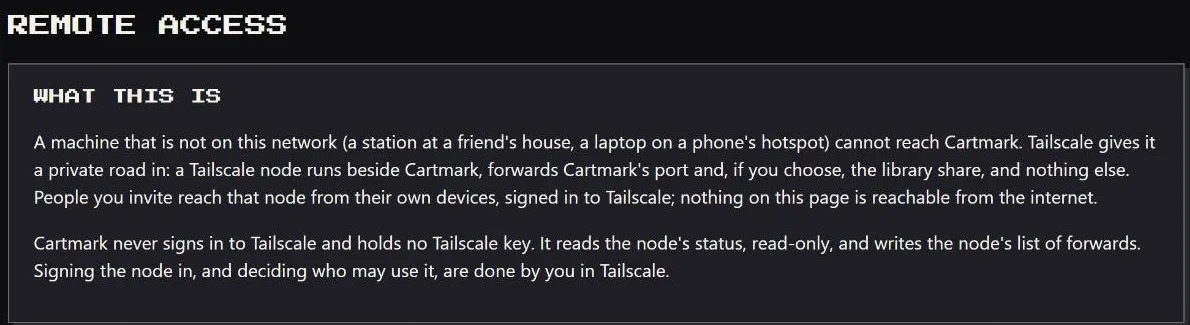
A machine that isn't on the house's network can't reach Cartmark, and that is deliberate: no port is opened on the router, and no page of Cartmark is reachable from the open internet. Tailscale gives such a machine a private road in. A small Tailscale node runs beside Cartmark, on a closed network it shares with Cartmark alone. It forwards Cartmark's own door and, only if you choose, the library's file share. It advertises no routes into the house, is never an exit node, and is never opened to the public with Tailscale's Funnel. People you invite reach that node from their own devices, signed in to their own Tailscale.
On an install that is one container, the node runs inside Cartmark instead, as Cartmark's own user, with no network device and no way into the server. Everything on this page holds either way.
What Cartmark does by itself
- Runs the node. It ships with Cartmark and starts idle. It does nothing until you sign it in at Tailscale's own page, from a link and a code shown on Remote access.
- Checks the setup, line by line. The node is signed in and its key won't expire and drop the road; Cartmark's own sign-in is on; the road is not trusted on its bare word; the node forwards Cartmark's door and nothing else. Anything Cartmark can't see for itself is marked "by hand", with what to look at.
- Checks your access rules. Paste the tailnet's rules from Tailscale's console and Cartmark names what to fix and gives a corrected copy back. The text is read, judged and dropped: never kept, logged or sent anywhere.
- Writes the forwards. One press adds Cartmark's door to the node's list and leaves every other entry as it was. Where the node runs inside Cartmark, a forward added by hand, a web handler or a funnel is taken out again within a minute, whoever added it.
- Reads its own address from the node. Nobody types it. Cartmark shows it on Machines, in the message you send a person and in every set-up line, and gives a PC whose Tailscale names don't resolve the numeric form as well.
- Hands each person their own way in. A page of their own asks three questions and ends at the right steps. Add a device puts the house's invite first when they are away. A handheld gets one line to paste.
- Keeps remote PCs on the right address. A PC at another house keeps its Tailscale address and maps the library there, instead of drifting to the house address it can't reach. Run setup again moves a PC onto the road with nobody at it.
- Watches the invite's clock. The house's share link lasts thirty days. The super admin is told on their own channels a week and a day before it runs out; afterwards the other admins see "ask the server admin", and Add a device stops offering a dead invite.
- Checks the road once a day along with every other connection, and lists a failing one on Needs attention without its address or key.
What you do, once
The person who runs Cartmark
- Make a Tailscale account kept for Cartmark, so the people you invite join a network that holds Cartmark and nothing else of yours. Or sign the node in to your own and share just the node.
- Sign the node in at Tailscale's page, and turn off its key expiry there. Remote access shows both as done.
- Set the access rule so people reach Cartmark's door and nothing else, with Cartmark's checker beside you.
- Paste the house's share link under Connections. Each person is then shown it on their own page.
- Give each person an account with a password, and invite them in Tailscale. Cartmark writes the message to send; you send it your own way.
Each person
- Install Tailscale on the PC, phone or handheld and sign in with an account of your own. Nothing you type at Tailscale reaches Cartmark.
- Accept the house's invite, shown on your own page with a Copy button. Cartmark's server then appears in your Tailscale, and only it.
- Open Cartmark with Tailscale on and sign in as yourself. Every page over the road asks for Cartmark's own sign-in.
- On a Windows PC kept for Cartmark alone, a second way: one command from your page installs Tailscale, joins the PC to the house's network for Cartmark only, and enrols it. It works once, for an hour.
A PC or box at another house
On Machines, generate an enrolment code and open A machine at another house. It gives one line for Windows, Linux, macOS or a Batocera box. The line installs Tailscale from its publisher, never from Cartmark; shows Tailscale's own sign-in; waits, saying so, until the person has accepted the house's invite and Cartmark answers; then runs the same installer a machine at home runs. It needs an administrator on their machine, and the same one-time code as at home: it works once, for fifteen minutes, or an hour when extended, and each code goes to one person.
- It arrives observe-only. The machine appears on Machines waiting for Enable testing, and no test is sent until that is pressed.
- It belongs to the household the code named: the house, unless the super admin chose another household when making the code. What that decides.
- Reporting in needs only Cartmark's door. Playing or testing from the library also needs the library's file share, which the node forwards only when you add it, and only to an account, never to guests. The page says first what adding it opens.
- It stays on the road. A PC that reached Cartmark over Tailscale keeps that address, and its library shares follow it, whichever house it is at.
Your own PC, from wherever you are
My account › Add a device reads which device it is open on. Away from the house and off Tailscale, it puts the house's invite first: install Tailscale, open the invite, come back with Tailscale on. Then one line with one large Copy button and your own code already in it enrols the PC as yours, into your own household. The line carries your code, so the installer asks for nothing.
Reach Cartmark over Tailscale, your own page, asks three questions: do you already use Tailscale, is this a phone or a handheld, and will the PC only ever use Tailscale for Cartmark. The answers lead to the share link, or to the one-command way for a Windows PC. That command joins the PC to the house's Tailscale for Cartmark only; it can't be on your own Tailscale at the same time. Each person may ask for a new command every ten minutes and have three such PCs on the road, and the person who runs Cartmark sees them listed as guest PCs.
Android handhelds
An Android handheld borrows and plays games from the library over the road. On the handheld: Tailscale from the Play Store, signed in, with the house's Cartmark shared to you; then open Cartmark's address in its browser, and My account › I have a handheld gives the apps to install and one line to paste into Termux, made from your own account. The line checks that Cartmark's helper is signed by this server before running it, and uses Cartmark's own Tailscale address, so it reaches the right place even where a saved address is out of date.
- It enrols as yours, into your own household, and checks in only when it runs. It is never handed a test; a quiet handheld is no fault.
- Games arrive checked. Each file is verified into the folders ES-DE or Daijisho reads, and a broken download picks up where it stopped.
- Lent games and firmware sit in the handheld's shared storage, so its emulators can read them; any other app allowed to read storage can read them too, and the page says so.
- Saves come home where My saves says sync on for the handheld.
Loans over the road
Every game Cartmark puts on a PC is on loan. A lent game stays while the PC keeps in touch with the library: out of contact too long, the PC removes its lent games by itself, by default after seven days at home and three days over Tailscale, counting only time the PC spends switched on. The server watches too: a PC with no contact for thirty days has every loan taken back at its next check-in, and its owner is warned five days before. Only the folder Cartmark made is removed, never while a program is using it, and saves moved to Cartmark Saves stay.
Your phone, and the codes it gets
Where the house runs Cartmark's own ntfy, your security codes reach your phone over the same road, carried by the tailnet's own encryption and never opened to the internet. Get codes on your phone sets it up in five steps. Away from home, the phone needs Tailscale running to get them, an unlock code included. Alerts and codes.
Two doors, and both are needed
- Tailscale's door is yours to open. A person reaches the node only once you have invited them in Tailscale, or shared the node with them. Remote access lists every device on the road, and anything you don't recognise is removed in Tailscale's console.
- Cartmark's door is its own sign-in. The road doesn't pass your reverse proxy, so a proxy's sign-in doesn't apply there, and Cartmark refuses to open the road while its own sign-in is off. Every page over Tailscale asks for an account and a password, with nothing else in front.
- The road adds no sight. What a person sees over Tailscale is exactly what their account sees at the house: their own household's machines, play and saves, and nothing of another household's. What a household sees.
- People can't reach one another. With the rule Cartmark recommends, each invited device reaches Cartmark's door and nothing else, not the other devices on the road.
- The road is never held or blocked. A sign-in from the house's network or over Tailscale is never held for an unusual-place code, and the 24-hour block after too many wrong passwords never covers the house's network or the tailnet.
A machine at another house, in another household
- It belongs to its household, the one named on its code; only the super admin enrols a machine into a household other than the house. Its household's members see it, its statistics, its tests and its play. The house's members don't, and the other way round.
- Firmware and keys follow the household, not the road. A machine is given what its own household supplied, placed and kept by the machine itself. Firmware by household.
- The library is a separate choice. A machine reports in over Cartmark's door alone. Opening the library's file share to the road is a step of its own, to an account rather than to guests, and the page says plainly that it carries the server's whole file service, so every other share on that server must be closed first.
- What you hand out is yours to answer for. Cartmark forwards nothing but Cartmark. Giving another household game files, firmware or keys by any other means is distribution, and whether that is lawful where you live is yours to settle first.
Guests
- A guest at a house's PC is someone from another household playing on it: they scan the six-character code on the screen from their own phone, on the house's network or over Tailscale, and play and save as themselves. The household's admins and the PC's owner are told. Who's playing.
- A guest PC on the road is a Windows PC a person joined with the one-command way. Remote access lists each one with the person it belongs to and when it was last seen; it is removed in Tailscale's console.
- The invite is for the people it is meant for. A person is shown the house's share link only after their own password, the page says not to pass it on, and the link itself is never written into any record.
Taking it away
Remove the person in Tailscale, and press Revoke beside each of their machines on Machines; either stops the machine reaching Cartmark, and both are done. Disable their account to close Cartmark's door. Switching the Tailscale connection off withdraws the address from Machines and every set-up line. Stopping the node closes the road entirely.
What stays private
What the road is
- Nothing on the internet. No port on the router. The node reaches Tailscale's own servers and Cartmark, and nothing else on the house's network. No routes, no exit node, never Funnel.
- One door forwarded. Cartmark's own, and the library's file share only where you added it. The access rule on the tailnet is the second lock, the one that still holds if a forward is ever added by mistake.
- Encrypted end to end by Tailscale, between the person's device and the node.
- Cartmark holds no Tailscale password and, for a node beside it, no Tailscale key. It reads the node's state read-only and writes only its list of forwards. Who may use the node is decided in Tailscale, by you.
- A node inside Cartmark keeps its own identity with Cartmark's data, in a folder only Cartmark's user may open, and is backed up with it. It sends no logs to Tailscale.
What the road can never do
- Be believed on its word. A request through the node is judged as an ordinary caller: it can't name a different address, a different scheme or a signed-in person by a header. Where the node runs inside Cartmark, its forward goes to a listener kept for the road alone, and what arrives there is known by where it arrived, with its forwarding headers taken off first.
- Mint a code from outside. Enrolment codes are made only from the house's network or the tailnet, and a machine never enrols at the public address.
- Carry the library's account to the internet. The library share account is handed to a PC only over the machines' encrypted link, Tailscale or the house's own network, never to one that came in through the proxy.
- See what you type at Tailscale. Signing in to Tailscale happens on the person's own device, at Tailscale's page.
- Keep the rules you paste. A policy checked on Remote access is read, judged and dropped; a fault in it is named by line, never by its words.
- Log the link or the command. A share link or a joining command is drawn once, after the person's own password, with the browser told not to keep it. The record names only who asked, and when.
Named in full elsewhere
The checks Remote access runs, and the security improvements each release made to the road, are on Safe by design. The Tailscale row on Every service it talks to says what is sent to Tailscale and why.